Gelung Video Dalam Talian Percuma

Penyunting Video dan Pembuat GIF Dalam Talian
Potong Video

Gabung Video

Video ke GIF
Putar Video
Video Songsang

Video Gelung

Percepat & Perlahankan Video

Tukar MP4 kepada MP3
Tukar Video kepada MP4

Potong Video
Semua AI untuk penciptaan video
Otot Perut Lapan Ketul Saya — Video AI
Chubby Me — Video AI Lucu

AI Video Generator
Foto ke Video AI
Video Intro Maker
Pembuat Animasi Logo

Animate Old Photos

Pembuat Kad Ucapan Video

Animasi Potret AI

Penjana Avatar AI

Penjana Video AI dengan Bunyi
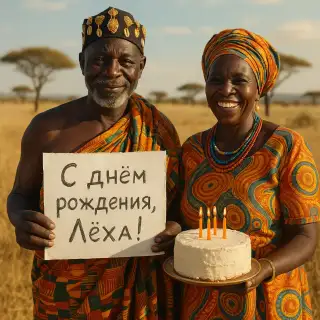
Video Ucapan Afrika

Video Haiwan Bercakap

Video Ucapan Gelandangan

Pembuat Video Laporan Berita

Ucapan daripada Gadis Asing

Majlis Konvokesyen

Video Pelukan AI

Video Ciuman AI

Video Bayi Masa Depan
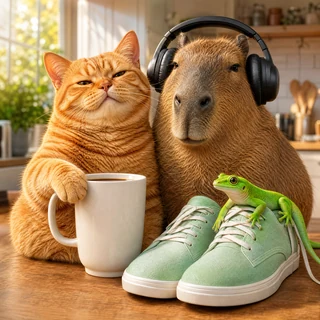
Video Iklan Produk AI dengan Maskot
Cara Membuat Gelung Video Dalam Talian
Pemutar video dalam talian percuma kami membolehkan anda memutar sebarang video terus dalam pelayar. Tiada pemasangan perisian diperlukan — hanya muat naik, pilih sudut putaran dan muat turun hasilnya. Berfungsi dengan format MP4, MOV, AVI, WebM dan MKV.
Cara Ia Berfungsi
- Muat naik fail video anda — seret dan lepas atau klik untuk memilih. Menyokong MP4, MOV, AVI, WebM, MKV sehingga 100 MB.
- Pilih satu daripada tiga pratetap pemampatan: Kualiti tinggi (pengurangan saiz minimum), Sederhana (seimbang), atau Kuat (pemampatan maksimum).
- Klik Gelung — video bergelung diproses di pelayan dan sedia untuk dimuat turun dalam beberapa saat.
- Muat turun hasil yang dimampatkan — outputnya ialah fail MP4 yang serasi secara universal.
Mengapa Memilih Penyunting Video Kami
Up to 90% size reduction
Pengekodan H.264 moden dengan penalaan CRF menghasilkan fail padat untuk aplikasi pemesejan, e-mel dan media sosial.
Tiada tera air
Video yang diputar anda benar-benar bersih — tiada tera air, logo atau penjenamaan ditambah.
Tiga gaya untuk dipilih
Pilih Kualiti tinggi apabila saiz tidak penting, Sederhana untuk kegunaan harian, Kuat apabila setiap megabait dikira.
Percuma & Tanpa Pendaftaran
Mampatkan video sehingga 100 MB secara percuma. Tiada akaun, tiada e-mel, tiada menunggu dalam barisan.
Format Video yang Disokong
- MP4 — format video paling biasa, disokong oleh semua peranti dan pelayar
- MOV — Format Apple QuickTime, popular pada iPhone dan Mac
- AVI — format video Windows klasik
- WebM — format web terbuka, digunakan oleh YouTube dan pelayar moden
- MKV — Bekas Matroska, menyokong berbilang trek audio dan sari kata
Bilakah Perlu Mampatkan Video
Hantar melalui aplikasi pemesejan atau e-mel
WhatsApp, Telegram dan perkhidmatan e-mel mengehadkan saiz lampiran. Pemampatan membawa sebarang video di bawah had mereka tanpa mengorbankan kebolehlihatan.
Sesuai untuk media sosial
Mampatkan video sebelum memuat naik ke Instagram, TikTok atau VK — muat naik lebih pantas, kurang data digunakan pada mudah alih.
Jimat ruang cakera
Arkibkan rakaman lama anda dalam bentuk termampat — simpan kenangan tanpa memenuhi storan telefon atau awan anda.
Petua untuk Hasil Terbaik
- Untuk video 'talking-head' dan screencast gunakan Kuat — terdapat sedikit perincian visual yang akan hilang
- Untuk rakaman aksi, sukan atau rakaman terperinci gunakan Kualiti tinggi untuk mengekalkan perincian halus
- Sederhana ialah lalai yang selamat untuk sebarang video harian
- Fail sumber yang sudah dimampatkan dengan kuat tidak boleh dikecilkan lagi
Soalan Lazim
Adakah ia benar-benar percuma?
Ya, membalikkan video sehingga 100 MB adalah percuma sepenuhnya dan tidak memerlukan pendaftaran.
Adakah kualiti akan berkurangan?
Pada pratetap Tinggi (CRF 23) perbezaannya hampir tidak kelihatan. Sederhana mempunyai sedikit kehilangan. Kuat boleh dilihat tetapi boleh diterima untuk kebanyakan kes penggunaan.
Apakah format outputnya?
Semua output adalah MP4 (video H.264 + audio AAC) — format paling serasi yang dimainkan di mana-mana.
Adakah video saya selamat?
Fail anda diproses pada pelayan dan dipadamkan secara automatik selepas beberapa ketika. Kami tidak berkongsi atau menggunakan video anda dalam apa jua cara.