
Convert Video to MP4 Online Free

Online Video Editor and GIF Maker
Trim Video

Merge Videos
Video to GIF
Rotate Video
Reverse Video

Loop Video

Compress Video
Speed Up & Slow Down Video
Convert MP4 to MP3

Crop Video
All AI for video creation
My Eight-Pack Abs — AI Video
Chubby Me — Funny AI Video

AI Video Generator

Photo to Video AI
Video Intro Maker

Logo Animation Maker

Animate Old Photos

Video Greeting Card Maker

AI Portrait Animation

AI Avatar Generator

AI Video Generator with Sound
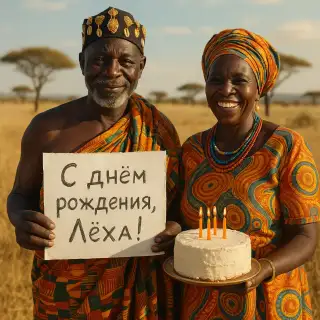
African Greeting Video

Talking Animals Video

Homeless Greeting Video

News Report Video Maker

Greeting from Stranger Girl

Graduation Video Greeting

AI Hug Video

AI Kiss Video

Future Baby Video

AI Product Ad Video with a Mascot
How to Convert Video to MP4 Online
Our free online converter turns almost any video into a universally compatible MP4 file right in the browser. Convert MOV, AVI, MKV, WebM, FLV, WMV and more. Optionally trim a fragment and choose the compression level. No software needed — just upload and download.
How It Works
- Upload your video file — MOV, AVI, MKV, WebM, FLV, WMV and others up to 100 MB.
- Optionally drag the timeline handles to convert only a fragment. Leave them as is to convert the whole video.
- Choose a compression level: High, Medium or Strong.
- Click Convert to MP4 and download the result — ready to play and upload anywhere.
Why Convert to MP4
Universal compatibility
MP4 (H.264) plays on every phone, browser, TV and social network. Convert exotic formats to be sure they open everywhere.
Upload to the web
Many sites accept only MP4. Convert and compress so your video uploads faster and fits size limits.
Trim while converting
Cut out just the part you need in the same step — no need for a separate trim tool.
Free & no registration
Convert videos up to 100 MB for free. No account, no watermarks.
Frequently Asked Questions
Which formats can I convert?
MOV, AVI, MKV, WebM, FLV, WMV, M4V, MPEG and more. The output is always MP4 (H.264 + AAC).
Do I have to trim the video?
No. By default the whole video is converted. Trimming is optional — drag the handles only if you want a fragment.
Is it free?
Yes, converting videos up to 100 MB to MP4 is completely free and requires no registration.