
Fill In Class Schedule Online
Type the Lessons or Upload a Photo — AI Writes Them Into Your Template
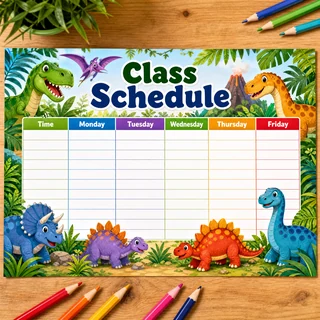
First generate a blank timetable template in any style — then come back and fill it in with your lessons.
Generate templateChoose your blank template, enter the lessons for Monday to Saturday, and download the filled-in schedule in 4K for printing.









































Type the Lessons or Upload a Photo — AI Writes Them Into Your Template
Fill in a class schedule online without redrawing the sheet by hand. Choose the blank template you generated earlier, enter the lessons for each day — or upload a photo of an existing timetable and let AI read the subjects off it — and get a neatly filled-in schedule ready to print.
Available Quality Options
How to Fill In a Class Schedule
- Choose your blank timetable template
- Enter the lessons for each day or upload a photo of an existing schedule
- Check the recognized subjects and fix typos
- Generate the filled-in schedule
- Download and print on A4
What You Get
Lessons by Day
Monday to Saturday, with hints for the most common school subjects
Photo Recognition
Upload a photo of a timetable — AI reads the lessons, you check them
Design Kept Intact
Subjects are written into your template without changing its border or colors
Print in 4K
Choose High quality and print the finished sheet on A4
Who Needs It
Parents of Younger Kids
A printed schedule the child can read without deciphering handwriting
Photo From the Class Chat
Turn a blurry photo from the group chat into a clean printed sheet
New Term
The timetable changed — enter the new lessons and print a fresh copy
Clubs and Tutoring
Put sports, music and tutor sessions into one weekly sheet
Tips
- Keep subject names short — long ones shrink the text in the cells
- Write the lessons in the language of the template so the sheet stays consistent
- Photograph the timetable straight on and in good light — recognition is more accurate
- Always check the recognized lessons: AI can misread faint handwriting
- Pick High quality if you are printing the sheet large
- The result is an image — to change a lesson, edit the text and generate again
User Reviews
Anna K.
Typed the lessons for the week and got a finished sheet. No more rewriting the schedule by hand every term.
Timur A.
Uploaded a photo from the class chat — it read almost all the subjects, I only fixed two.
Svetlana R.
The border from my template stayed exactly as it was, only the lessons appeared in the cells.
Dinara S.
Made the schedule in Kazakh, printed it and hung it in the kitchen. My daughter reads it herself now.